Introducing NEAR AI Gateway

We love our ChatGPT and Claude subscriptions. We use them to develop ideas, write code and solve problems. But sometimes we want an idea kept out of training data, or a sensitive conversation handled by a private model, without leaving the tools we already use. Today there is no easy way to do that with the tools most developers and AI power users rely on.
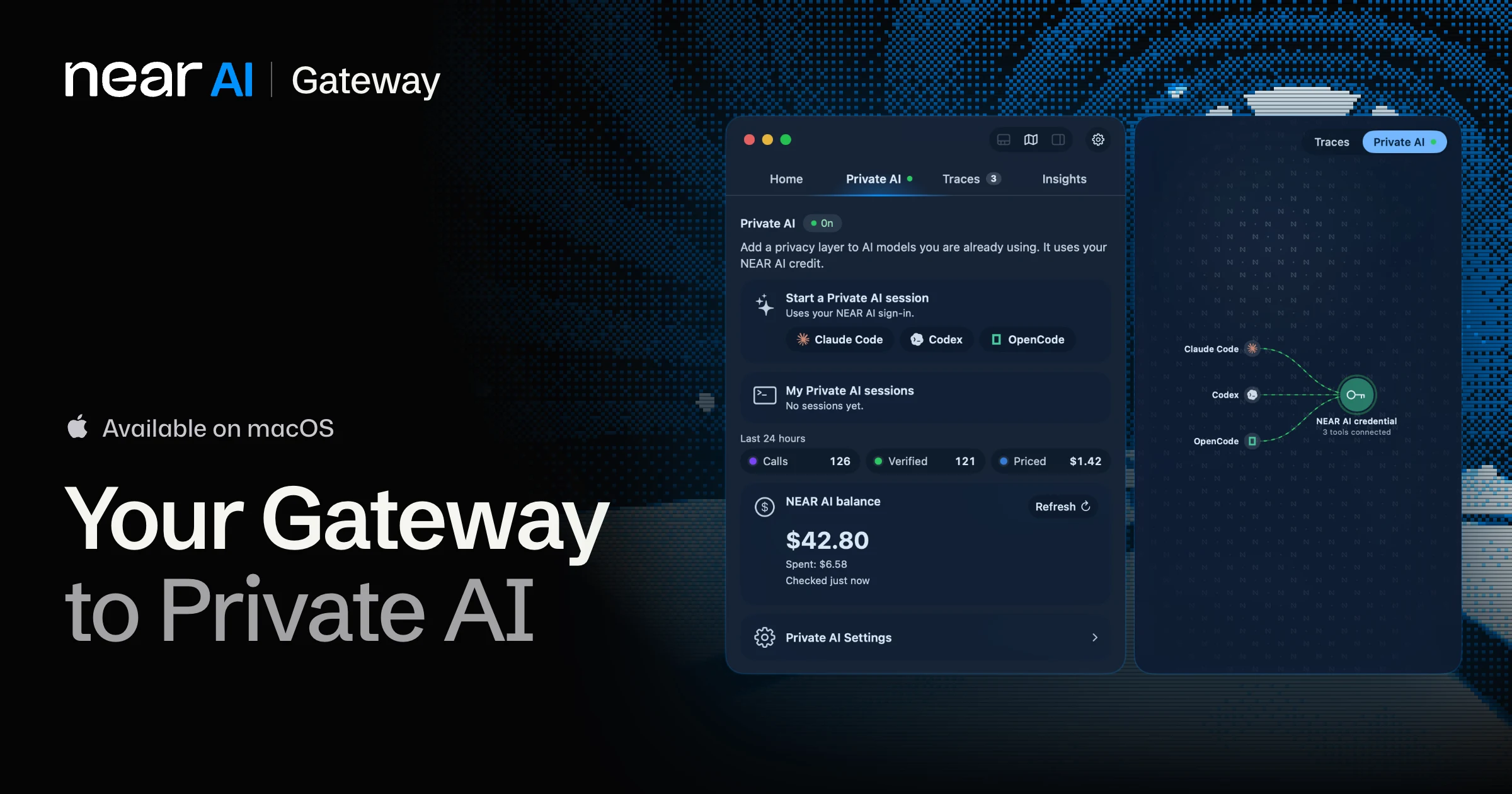
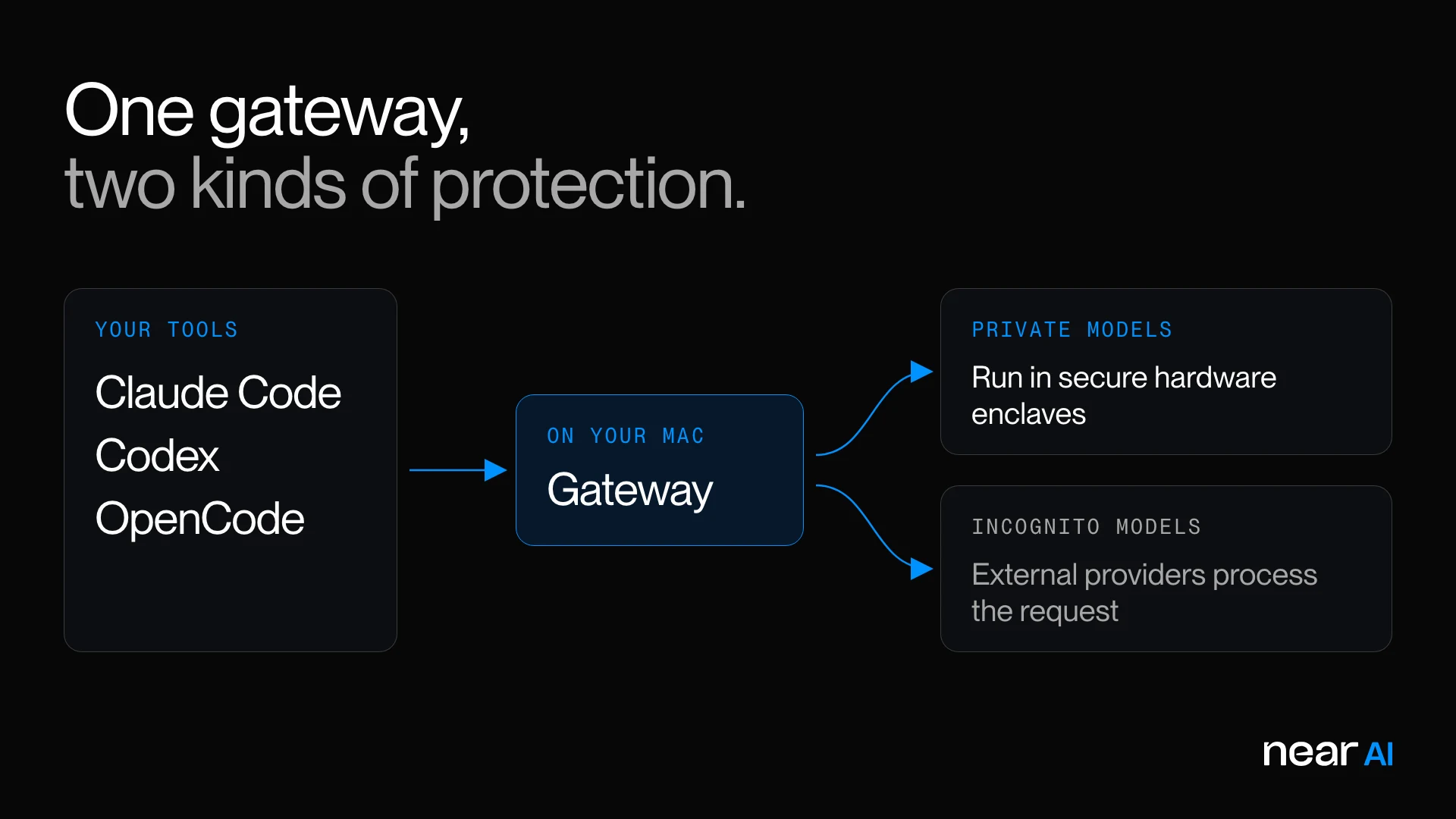
Today we're introducing NEAR AI Gateway, a macOS app that connects Claude Code, Codex and OpenCode to NEAR AI's private and incognito models. It also lets you inspect the trace data from your sessions on your own machine, turn it into insights, and earn NEAR AI Cloud credits for the data you choose to share. This is our first version, and it's only the start.
Private AI in familiar tools
Consider a prototype for a product you haven't announced. To help you build it, an AI agent needs context: the code, the architecture, the business strategy, the requirements you're still debating. You want to give the model enough to be useful while keeping that work private.
NEAR AI Gateway launches terminal sessions with Claude Code, Codex or OpenCode already configured for NEAR AI Cloud. Open a session from the app and start working on your project. Gateway handles the setup, so trying a private model doesn't mean reconfiguring your tools by hand.
NEAR AI Cloud's private and incognito models offer different protections. Private models run in secure hardware enclaves that protect your data during inference. Incognito models reach external providers through NEAR AI Cloud's credentials, and those providers still process your requests. The AI model catalog shows the protections for each model.
Inspect the data from your AI sessions
Working with an AI agent involves repeated decisions: how to describe the task, what feedback to give, which approach to pursue, and whether the result is good enough. Those decisions are part of the work. Reviewing a session shows you what made it productive, or where it stalled.
NEAR AI Gateway lets you inspect trace data on your machine and generate insights from it. Which of your projects is quietly eating your AI usage? Insights breaks your tokens down by project and shows the files your agent kept re-reading, context it had already been given. You can also see what each session cost, by model. Once you know where the tokens went, your next session starts sharper.
Earn credits for data you choose to share
The data generated by real development work has value beyond the project itself. It reflects the problems people actually hit and the effort it takes to reach a useful result.
If you've been using AI to build personal projects or contribute to open source, you've already been doing that work. Gateway lets you contribute data from your sessions and earn NEAR AI Cloud credits, which you can put toward future model usage. Nothing is shared unless you opt in. Traces are redacted on your Mac, and you approve each one before it leaves.
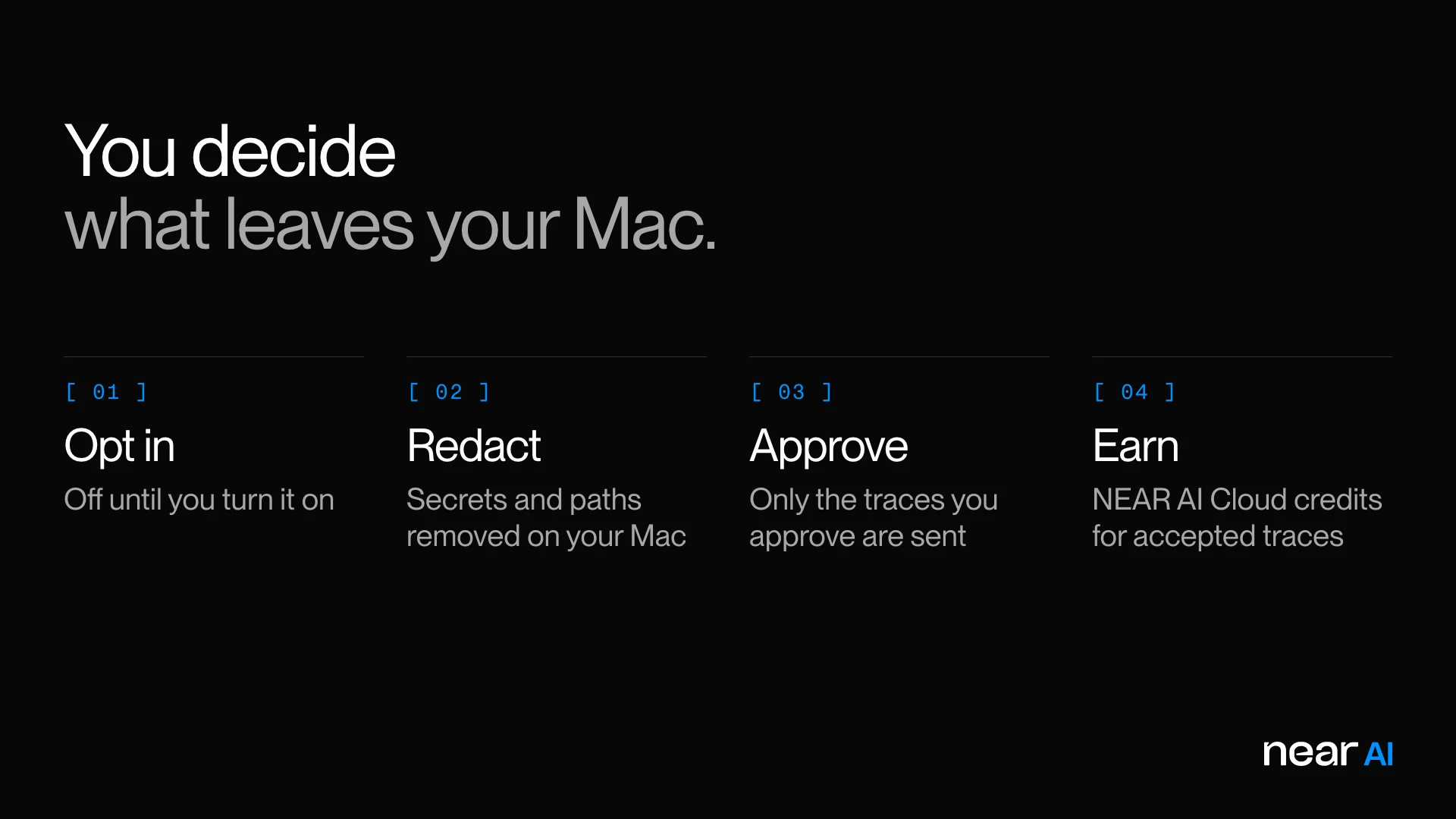
What you're comfortable sharing depends on the project. You may want confidential inference for an unreleased product and be happy to contribute data from an open source one. Gateway gives you both.
What's next
This is v1. We built it terminal-first because that's where we work every day, and we'll keep shipping new features from here. Some of what we're working on:
- More tools. Private models in the AI apps you use beyond the terminal.
- Referrals. Invite friends to Gateway and earn credits together.
- More ways to earn. Bigger rewards for the kinds of work model builders need most.
- Sharper insights. More ways to learn from your own sessions.
Download it, try it on a real project, and tell us what works and what doesn't. Your feedback shapes what we build next.